How to sell Sepolia ETH on SellPolia
Selling is Sepolia-only. You send SETH to the SellPolia vault on Sepolia, the deposit becomes one FIFO queue order, buyers fill it, and your accrued balance is paid out in real ETH on Base in a daily run.
The two addresses are separate: the wallet you sell from lives on Sepolia, the address you get paid on lives on Base. They can be the same or different.
At a glance
| Sell on | Sepolia only |
| Vault | 0xa2aa891cf73cf56b22d8af886cbab7d2f8706794 |
| Minimum deposit | 1 SETH |
| Queue | FIFO — one order per deposit |
| Your price | Buy price × your tier fraction (Novice = 20% → $0.05/SETH) |
| Payout | ETH on Base, daily, once ≥ 10 SETH has sold |
1. Open the dApp and attach a wallet
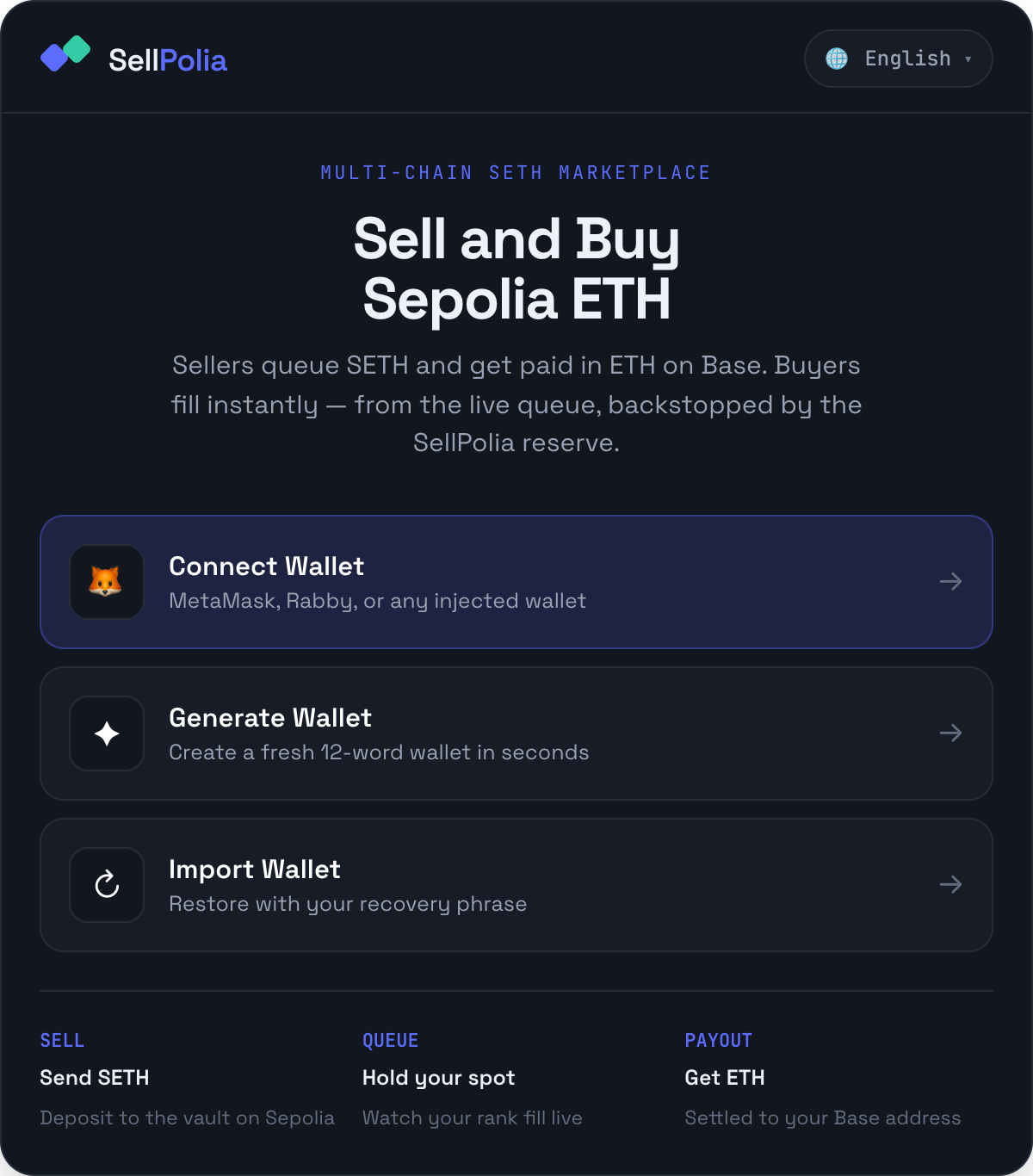
Connect Wallet is the normal path for sellers — the SETH you are selling is already in a wallet, and you need that wallet to sign the deposit.
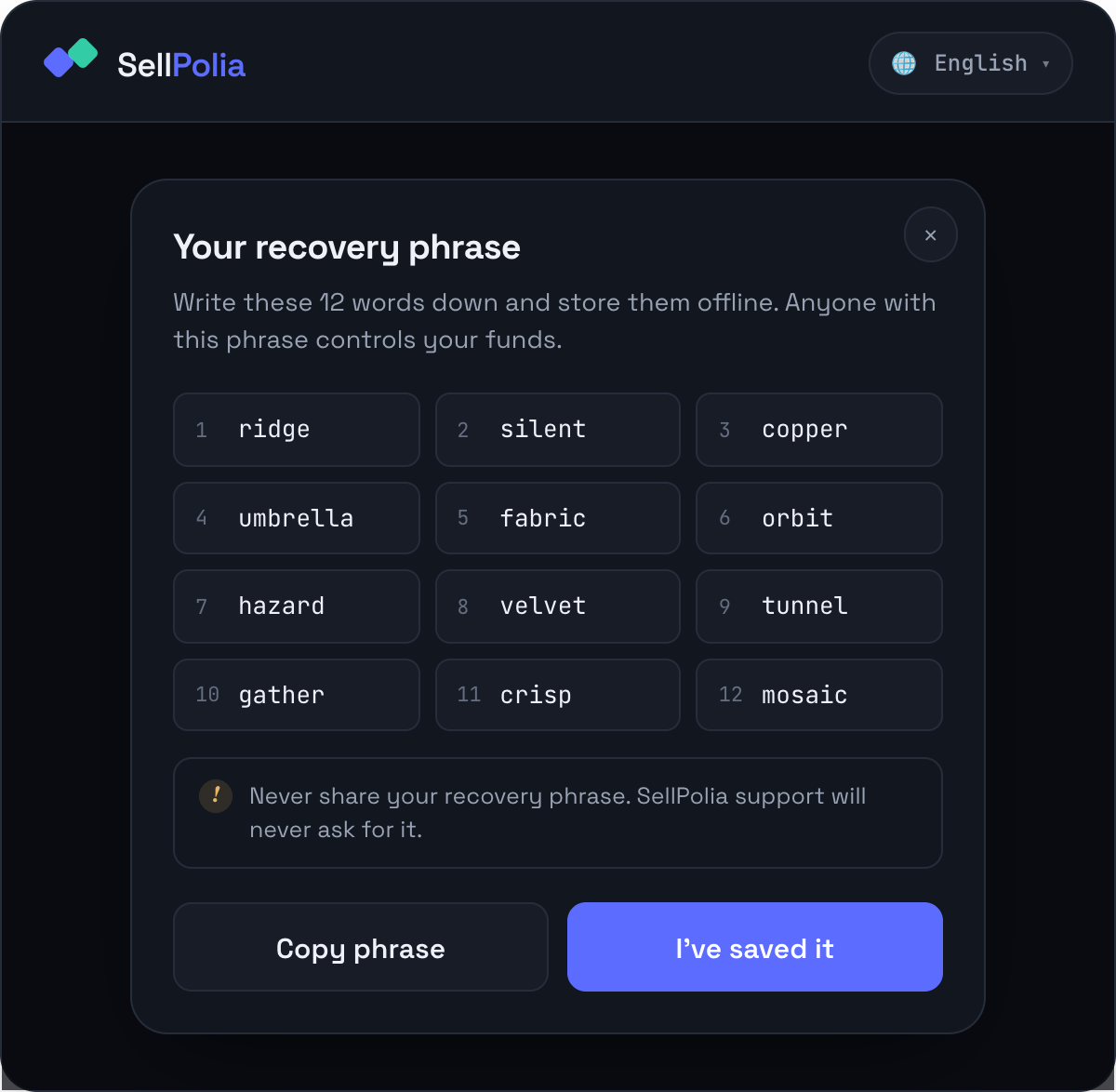
Generate Wallet creates a fresh in-memory BIP-39 wallet and shows the 12 words once. Nothing is persisted, so save the phrase before continuing.
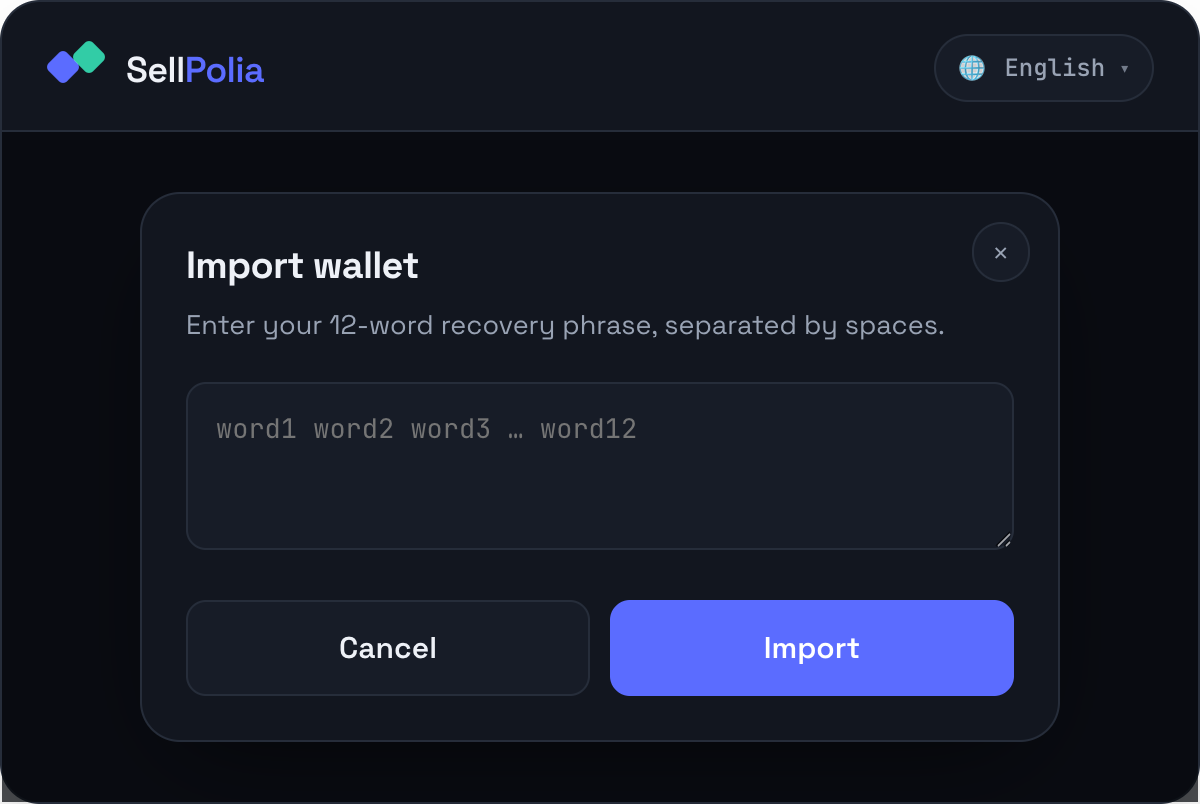
Import Wallet restores from a phrase you already hold.
Whichever route you take, the wallet must be on Sepolia and hold the SETH you intend to deposit plus a little for gas.
2. Set your payout address first
Payouts settle as ETH on Base, and the payout address is stored on-chain in the vault. By default it is your selling address. If you want to be paid somewhere else, set it before you deposit.
Open the account pill in the header:
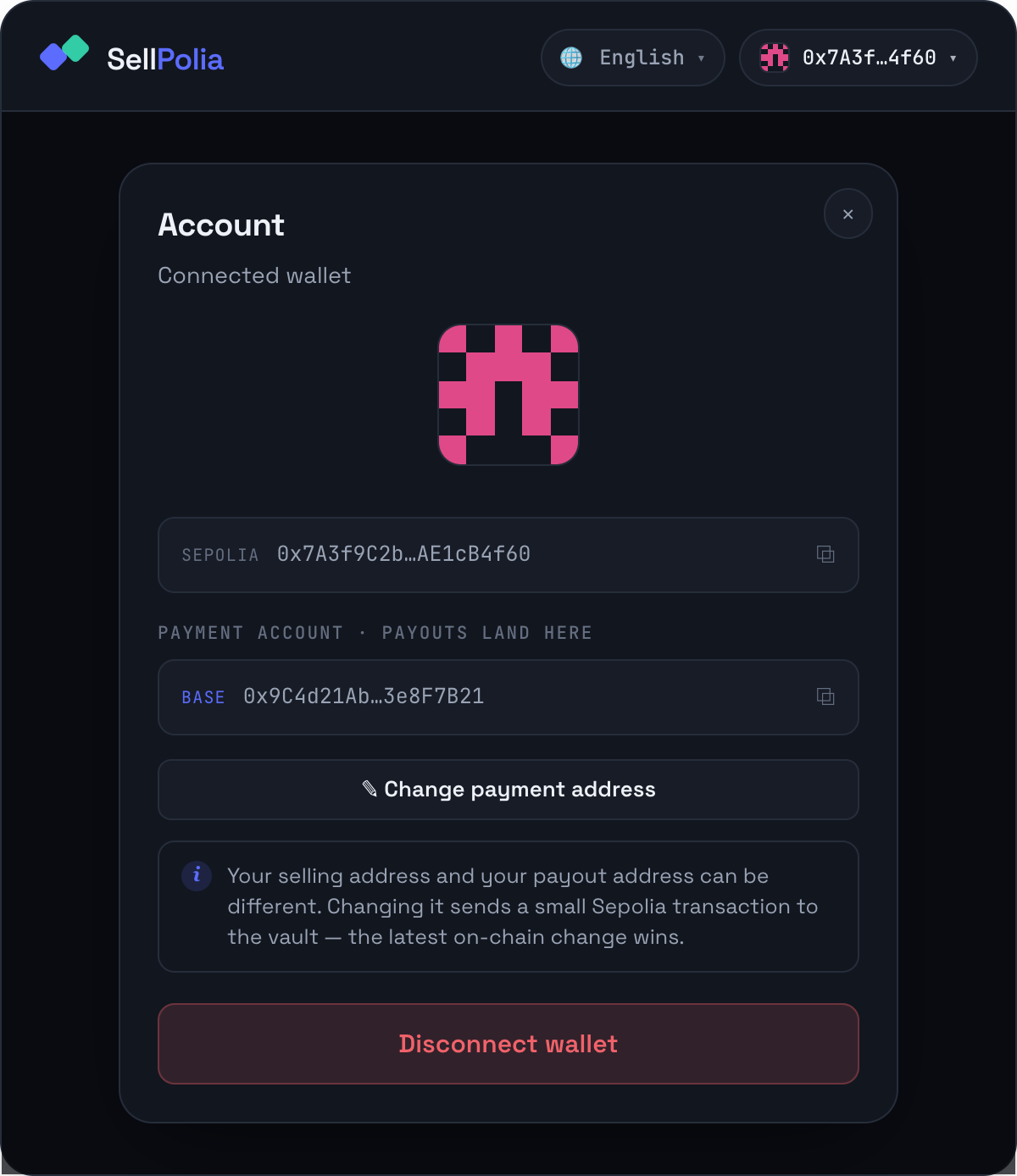
The sheet shows both addresses — Sepolia (selling) and Base (payments) — with copy buttons, and a Change payment address button. The deposit panel has the same Change button next to Payout to · Base.
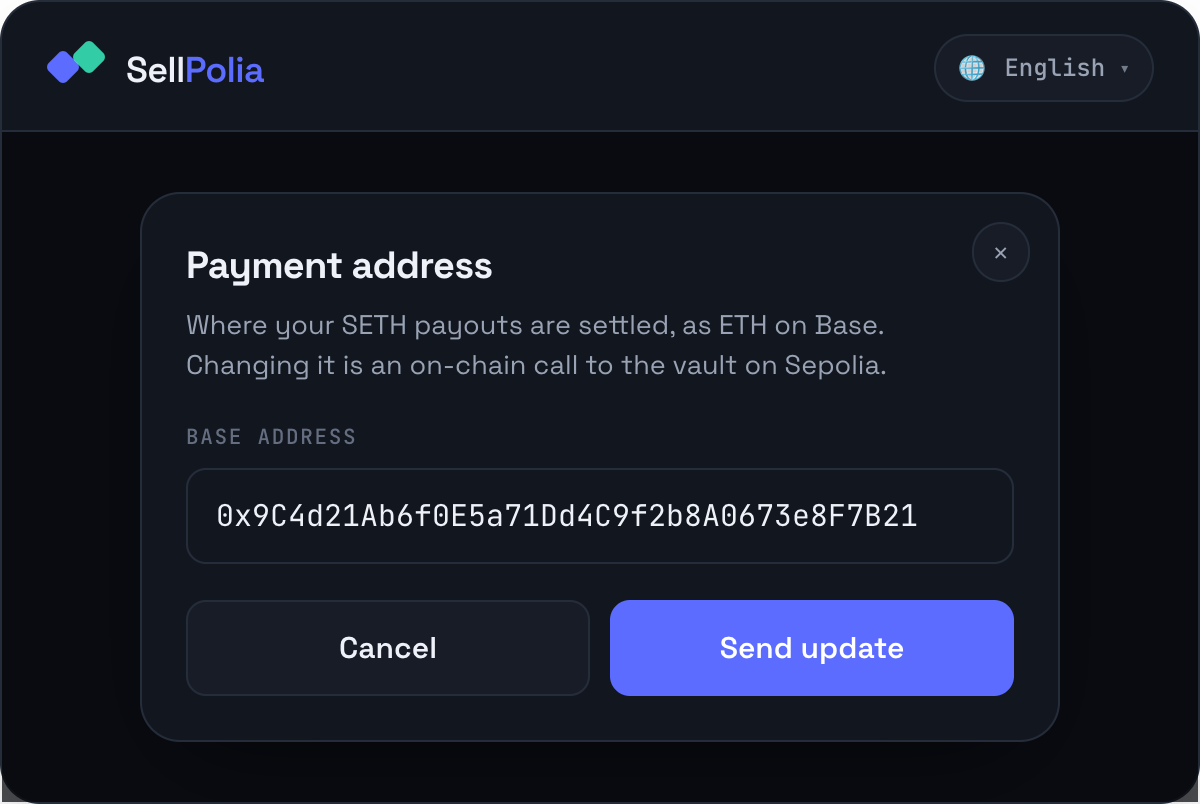
Paste a valid 0x… address and press Send update. This is an on-chain
setPayoutAddress call to the vault on Sepolia, so it costs a small amount of
gas and passes through two stages:
- Confirm the transaction in your wallet to set the new payout address…
- Waiting for the Sepolia transaction to confirm…
The latest on-chain change wins. The UI shows the new address optimistically until the backend has indexed the event.
3. Deposit SETH to the vault
Trade opens on Sell. With no orders yet, you get the deposit panel.
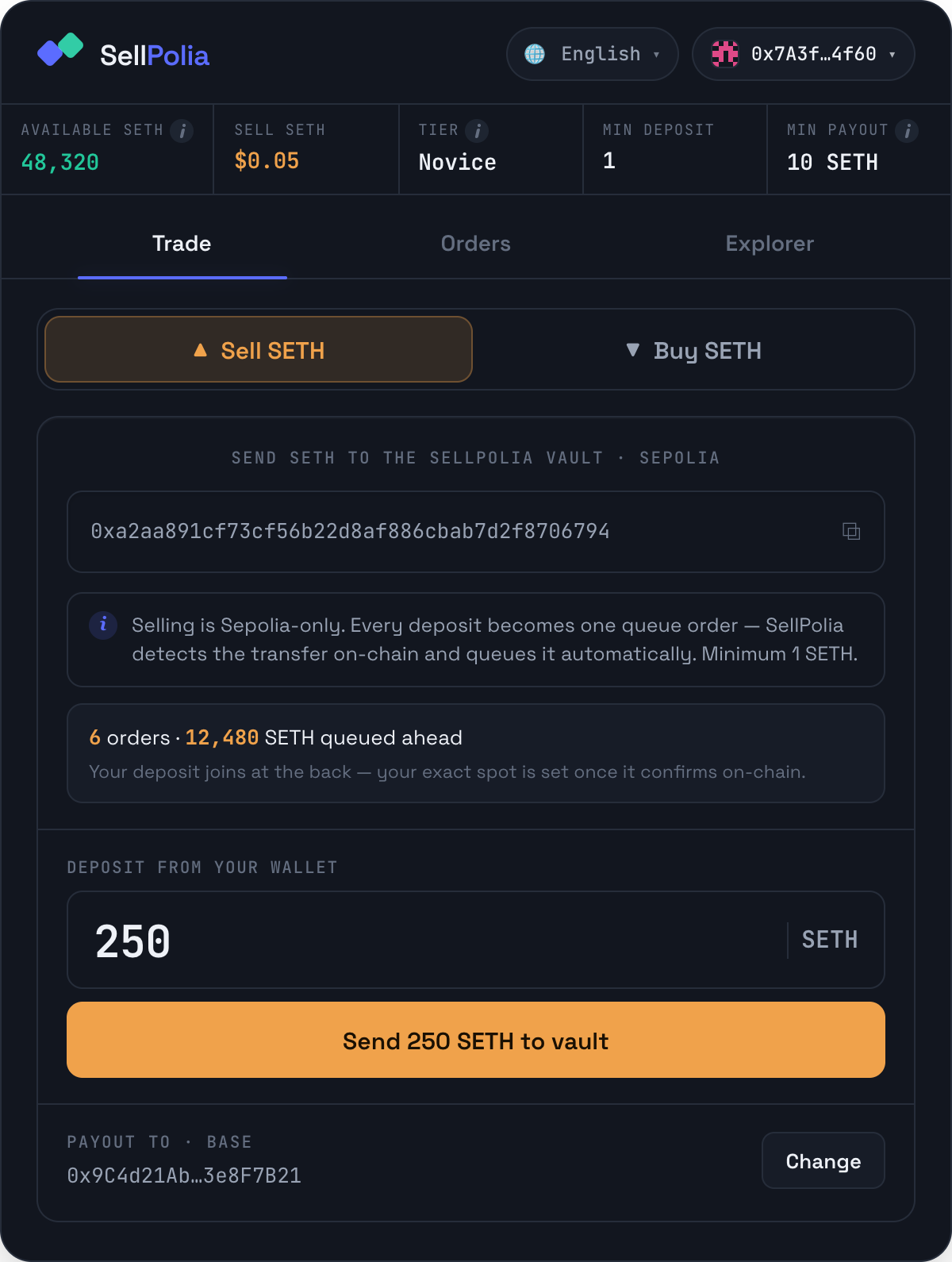
Top to bottom:
Vault address — the destination, tap to copy. Every deposit to this address becomes one queue order; the backend detects the transfer on-chain and queues it automatically. There is nothing to register manually.
Queue depth preview — how many orders and how much SETH sit ahead of you right now. FIFO, so a new deposit joins at the back, and your exact spot is fixed only once the transaction confirms. If the queue is empty the panel says so, and you are next to fill ahead of the house reserve.
Deposit from your wallet — the amount. Below 1 SETH the button reads Minimum deposit is 1 SETH and stays disabled.
Payout to · Base — a reminder of where the money lands, with a Change shortcut.
Press Send 250 SETH to vault. The button tracks the transaction:
- Confirm the deposit in your wallet…
- Waiting for the Sepolia transaction…
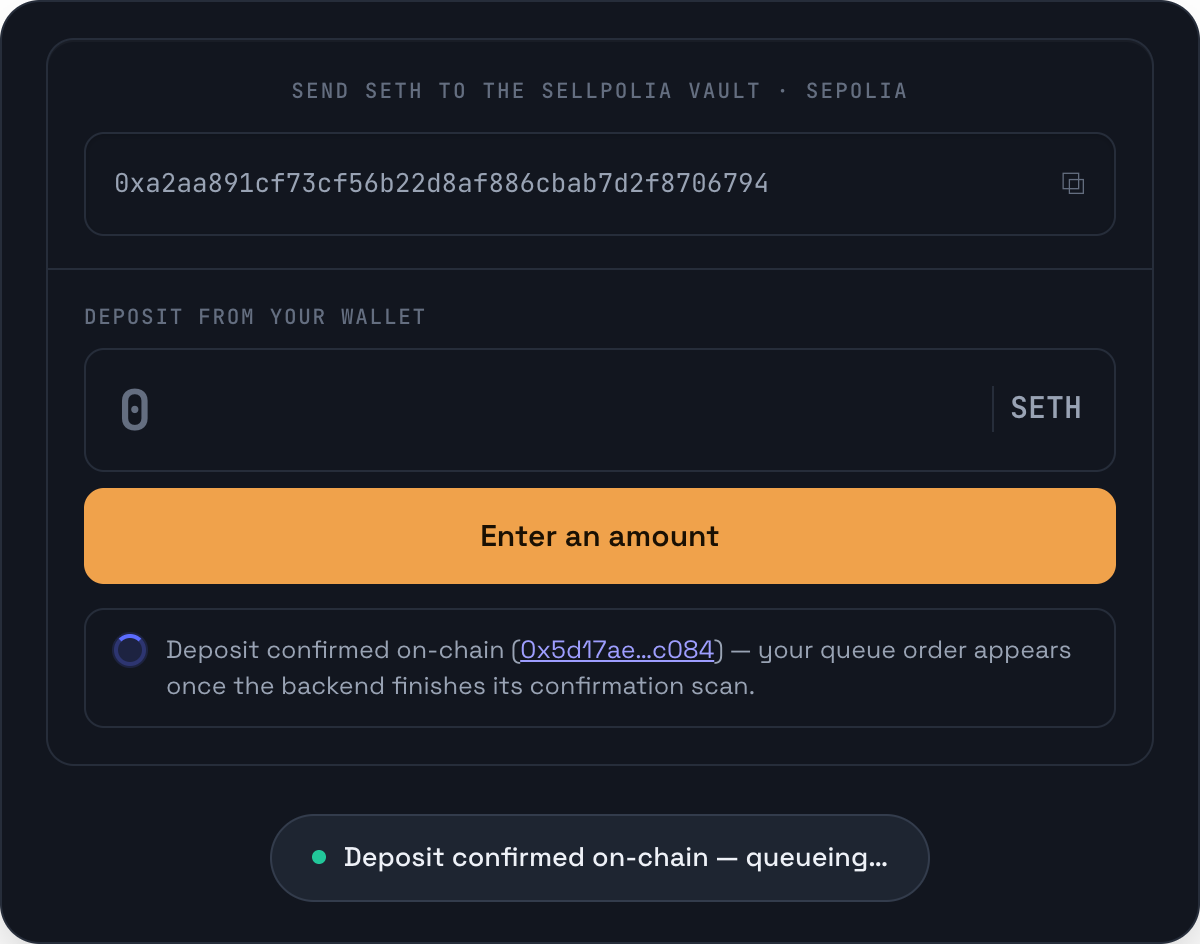
Once it confirms you get a toast — Deposit confirmed on-chain — queueing… — and a spinner note with the transaction link. Your queue order appears after the backend's confirmation scan completes, not instantly. The panel stays in this state until the order shows up in your list.
You can deposit more than once; each deposit is its own order.
4. Read the seller dashboard
Once you have at least one order, Sell shows the dashboard instead of the deposit form.
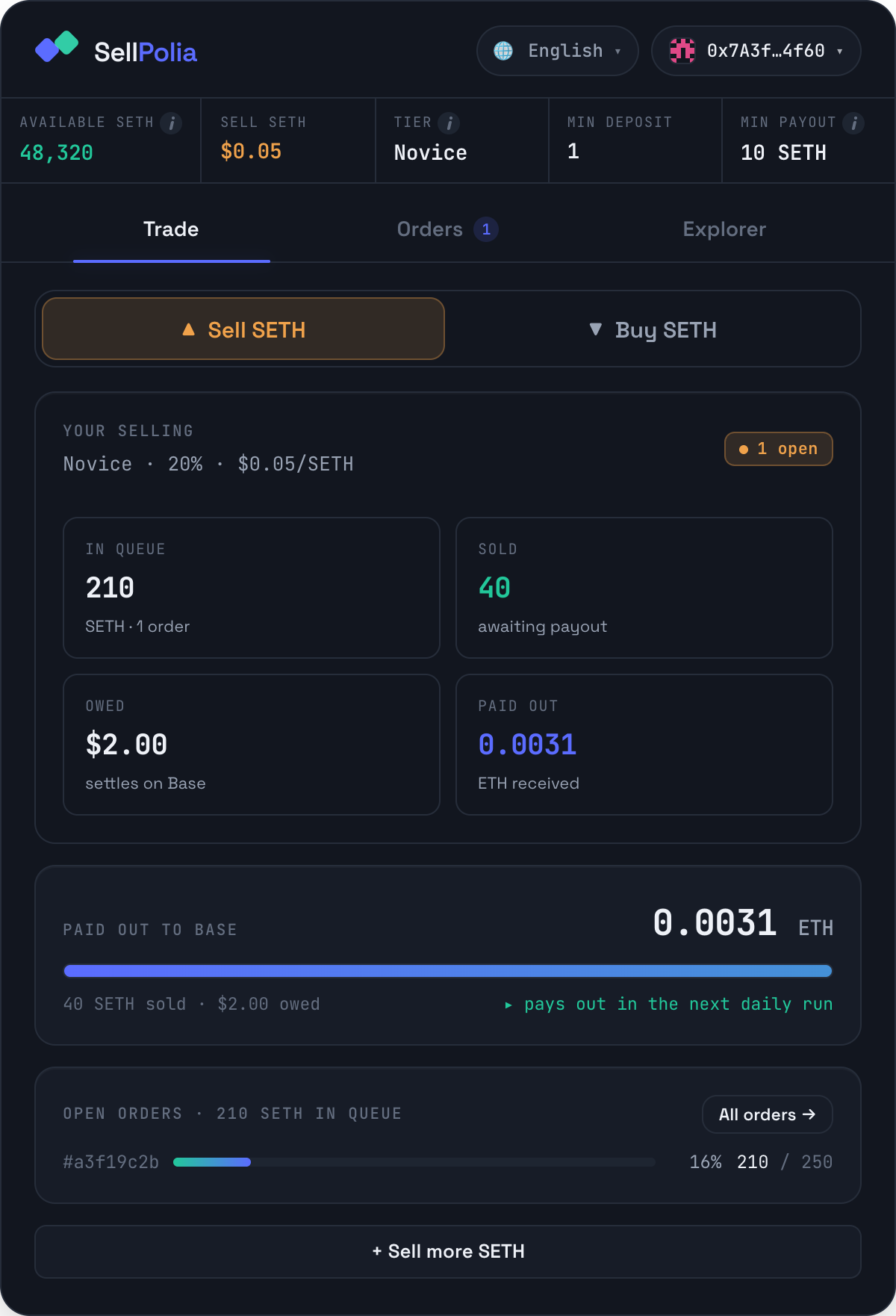
The header line is your tier, your share of the buy price, and your resulting
per-SETH price — here Novice · 20% · $0.05/SETH. The chip on the right shows
open orders, or All sold.
Four tiles, all aggregated across every order:
- In queue — unsold SETH still waiting
- Sold — SETH matched to buyers, awaiting payout
- Owed — the dollar value of that sold SETH at your price
- Paid out — ETH already received on Base
Below them, the payout block: a bar tracking your sold balance against the 10 SETH minimum. Under the threshold it reads min 10 SETH sold; over it, the right-hand caption turns green — ▸ pays out in the next daily run.
Last, an open-orders strip: one row per unfilled order with its fill percentage and remaining/total. All orders → jumps to the Orders tab. + Sell more SETH returns to the deposit form.
5. Follow an order in Orders
Filter to Selling and expand an order.
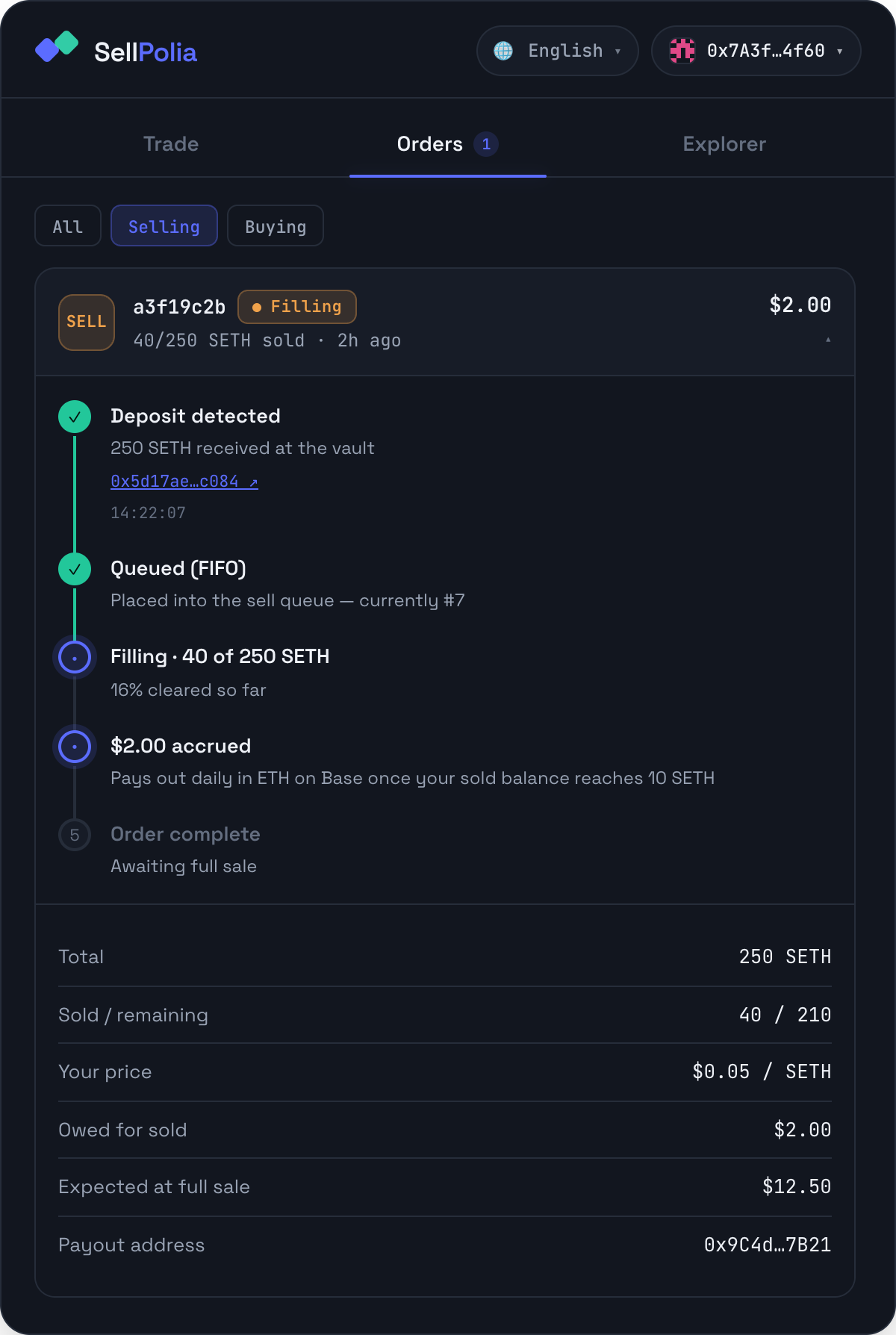
The timeline runs:
- Deposit detected — amount received at the vault, with the Sepolia transaction link and timestamp
- Queued (FIFO) — with your current queue position while the order is open
- Filling · X of Y SETH — percentage cleared so far, or All SETH sold
- $X accrued — what this order has earned, and the payout rule
- Order complete — once every unit has been matched
The key-value block underneath gives totals, sold/remaining, your price, owed for sold, expected value at full sale, and the payout address recorded for the order.
Status chips: Queued (grey, nothing sold yet), Filling (amber, pulsing), Sold (green, fully matched).
6. Get paid
Payouts are batched, not per-order:
- Your sold balance accrues across all of your orders.
- Once it reaches 10 SETH sold, you are included in the next daily payout run.
- Payment is ETH on Base, sent to the payout address recorded on-chain in the vault.
- Paid out on the dashboard and the payout block track the ETH already sent.
A payout appears in the public ledger as a Payout released entry with a Base transaction link.
7. Verify on the Explorer
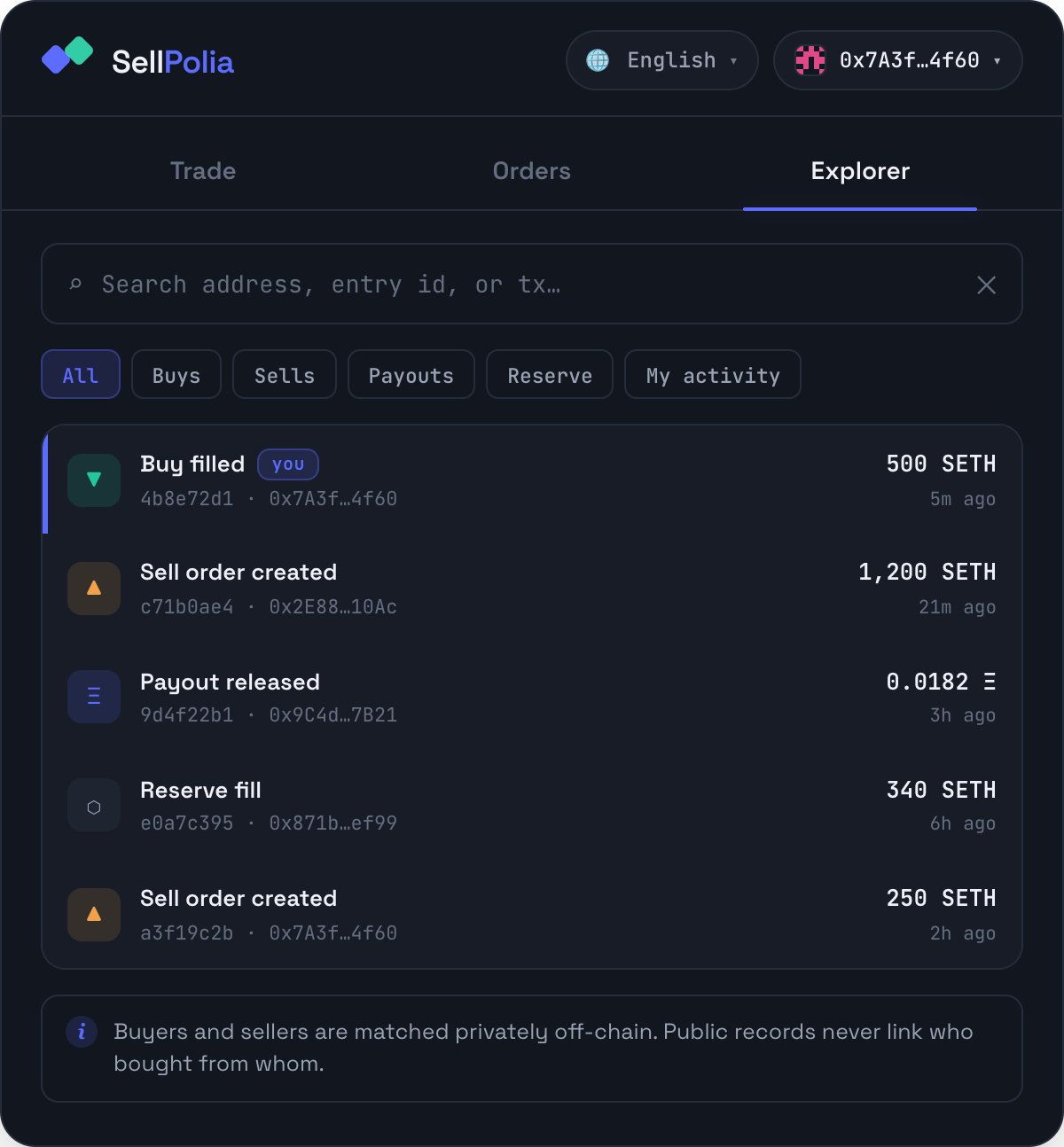
Search your Sepolia or Base address, or press My activity. Your rows carry a you chip and a coloured left edge. Expand any entry for the type, entry id, address, amount, network, timestamp and transaction link.
Sell orders and reserve fills are Sepolia entries; payouts link to Base. Buyer-seller matching stays private — the ledger never links who bought from whom.
Pricing and tiers
Buyers pay a single price: $0.25 per SETH. Sellers receive a fraction of that price, set by tier. Tiers step up with volume sold (10,000 SETH per step):
| Tier | Share | At a $0.25 buy price |
|---|---|---|
| Novice | 20% | $0.05 |
| Apprentice | 30% | $0.075 |
| Adept | 40% | $0.10 |
| Expert | 50% | $0.125 |
| Master | 60% | $0.15 |
| Elite | 70% | $0.175 |
| Champion | 80% | $0.20 |
| Legend | 90% | $0.225 |
| Apex | 100% | $0.25 |
Your current tier and price sit in the price strip and on the dashboard header; the Tier tooltip shows the whole ladder with your row highlighted.
The gap between the buy price and your tier price is the marketplace's margin — there is no separate fee line. Your only other cost is Sepolia gas on the deposit (and on a payout-address change).
Troubleshooting
Deposit confirmed but no order appears. Expected for a short window. The backend queues the order after its confirmation scan; the panel keeps the spinner note with your transaction link until then. Polling pauses while the tab is hidden and resumes on refocus.
Button says "Minimum deposit is 1 SETH". Deposits below the market minimum are rejected on-chain; raise the amount.
Sent SETH to the vault from outside the dApp. It still queues — the listener watches the vault address, not the UI. But the payout address used is whatever is recorded on-chain for the sending address, so set it first.
"Enter a valid 0x address (40 hex chars)." The payment-address field validates strictly; check for a truncated paste.
Payout address change didn't stick. It is an on-chain call — it must confirm on Sepolia and be indexed. The latest confirmed change wins, so if you submitted twice, the last one applies.
Sold balance sits below 10 SETH. No payout runs until it reaches the threshold. It accrues across all your orders, so more deposits filling will get you there.
Wallet disconnected mid-session. Generated and imported wallets are held in memory only; a reload loses them. Re-import from your phrase. Injected wallets reconnect, and the dApp follows account switches — orders and balances reload for the new address.
Orders and balances look stale. The dashboard polls every 5 seconds and refreshes immediately on tab focus. If figures never populate, the backend is unreachable — the app shows the connection error on the loading screen.