How to buy Sepolia ETH on SellPolia
SellPolia sells Sepolia ETH (SETH) for real money. You pay a payment-collector contract on a mainnet chain — Ethereum, Base, Optimism, Arbitrum or BNB Chain — in the chain's native coin or a stablecoin, and the SellPolia vault sends SETH to your Sepolia address.
Buying does not require you to hold anything on Sepolia. You only need funds on one of the payment chains and an address to receive the SETH.
At a glance
| Buy price | $0.25 per SETH (from /api/market) |
| Pay on | Ethereum · Base · Optimism · Arbitrum · BNB Chain |
| Pay with | The chain's native coin, or USDC / USDT / DAI |
| Delivered on | Sepolia, to the address you nominate |
| Minimum | None on the buy side |
1. Open the dApp and pick a wallet
The dApp lives at /app. Until a wallet is attached, the only screen is the
wallet onboarding.
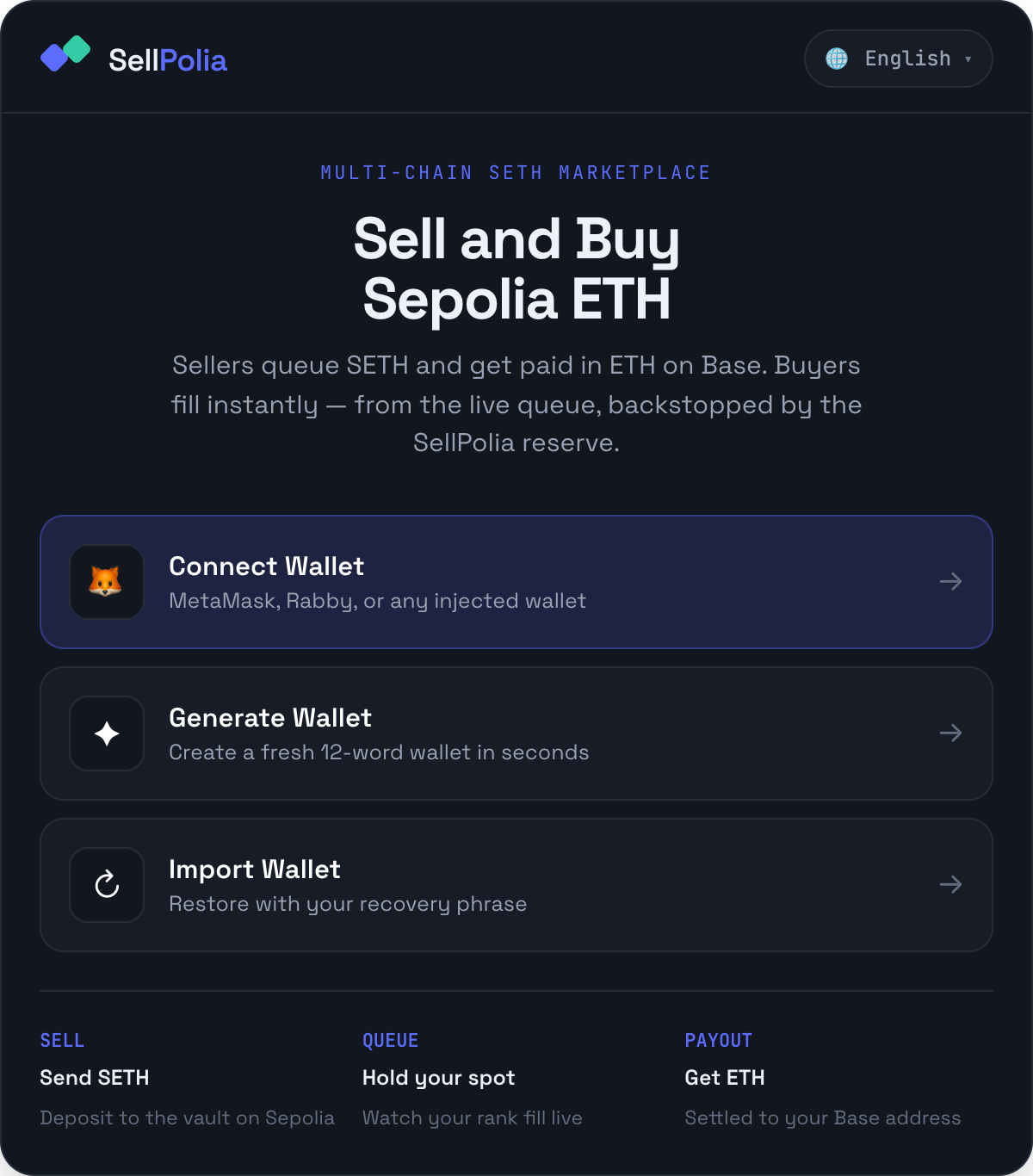
Three routes, all fully supported:
Connect Wallet — MetaMask, Rabby, or any injected provider. This is the
right choice if the funds you want to spend already live in that wallet. The
dApp follows accountsChanged, so switching accounts in MetaMask switches the
account in SellPolia (and clears the previous account's orders).
Generate Wallet — creates a fresh BIP-39 wallet in the browser. You get the 12 words once, in a modal, and the key is held in memory only — nothing is written to disk or localStorage. Closing the tab loses the wallet unless you saved the phrase.
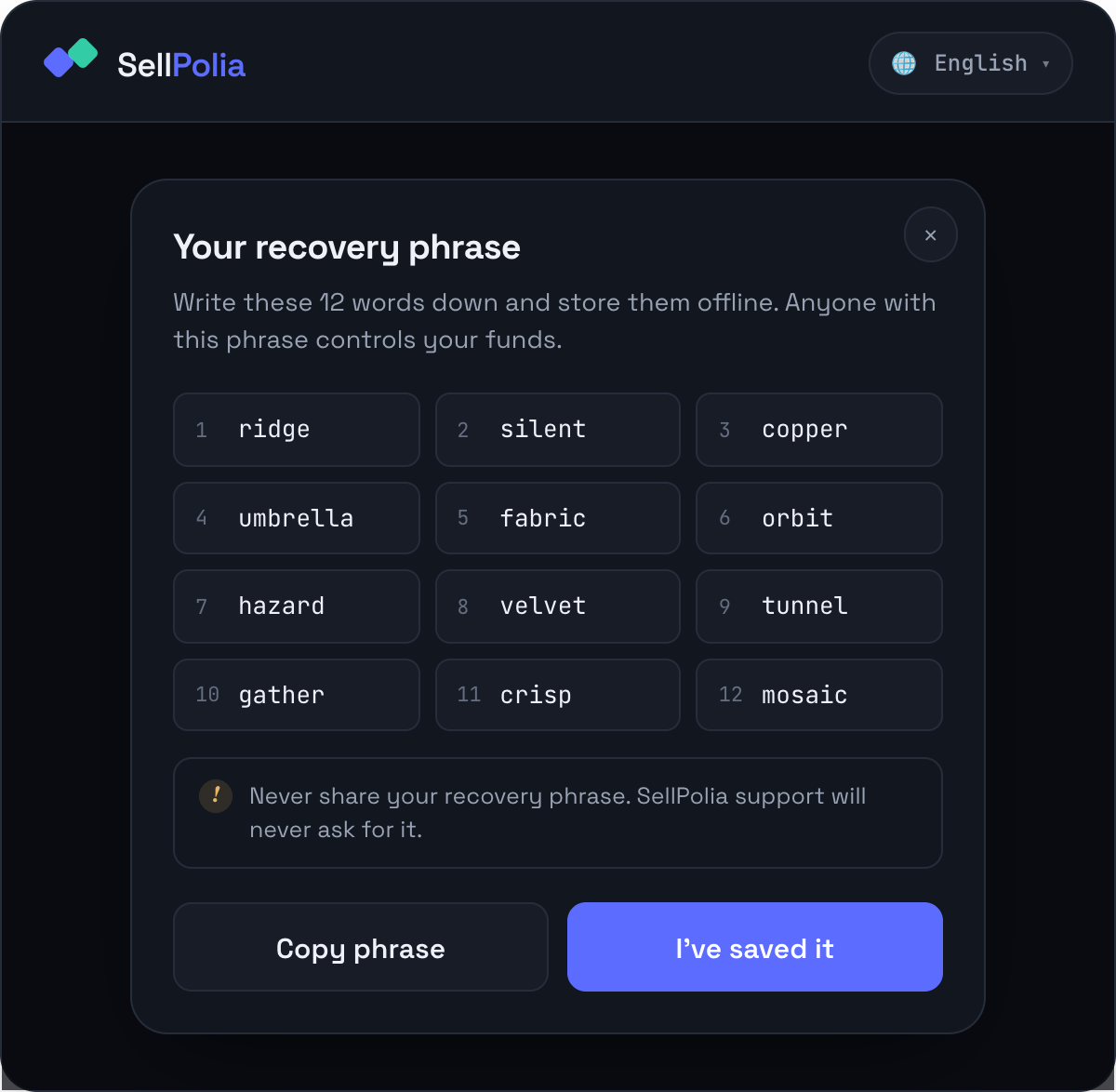
Copy the phrase, store it offline, then confirm with I've saved it.
Import Wallet — paste an existing 12-word phrase (15/18/21/24 also accepted). Validation is BIP-39, so a mistyped word is rejected with the offending word named.
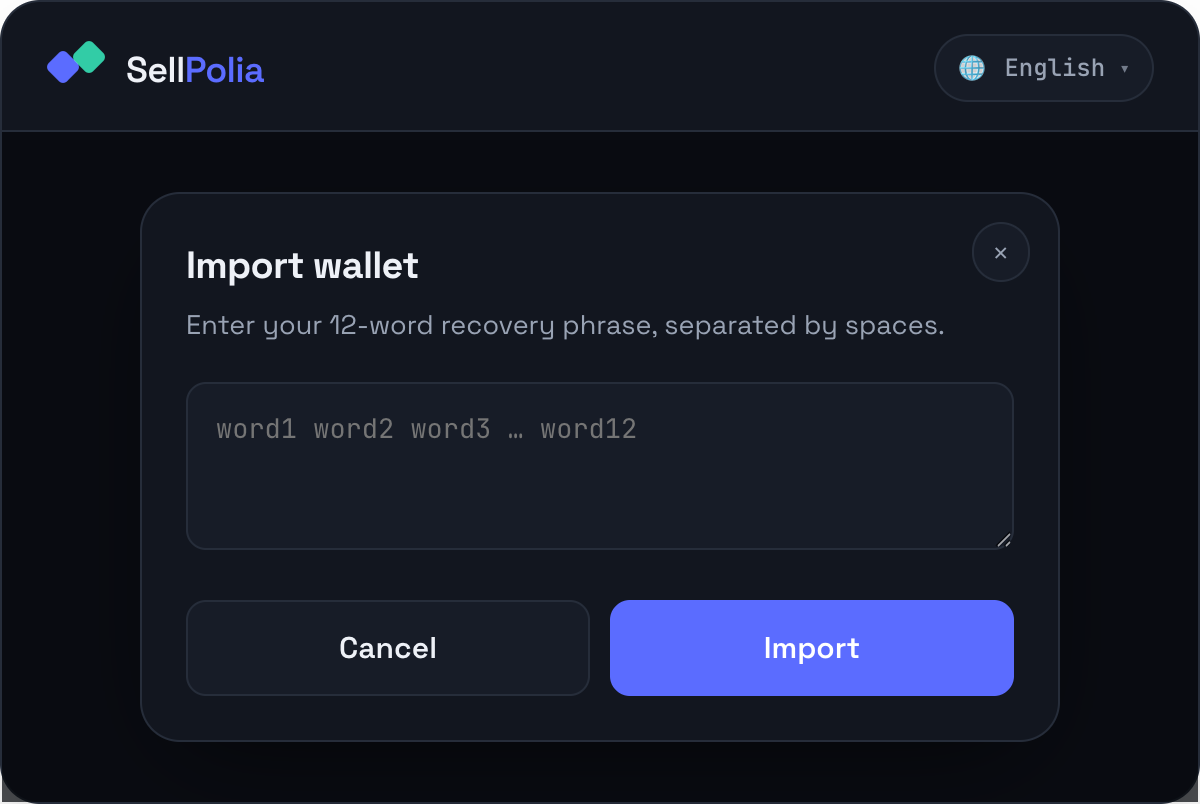
Once a wallet is attached the header shows an account pill, and the price strip and tab bar appear.
2. Switch to Buy
Trade opens on Sell. Tap ▼ Buy SETH in the segmented control.
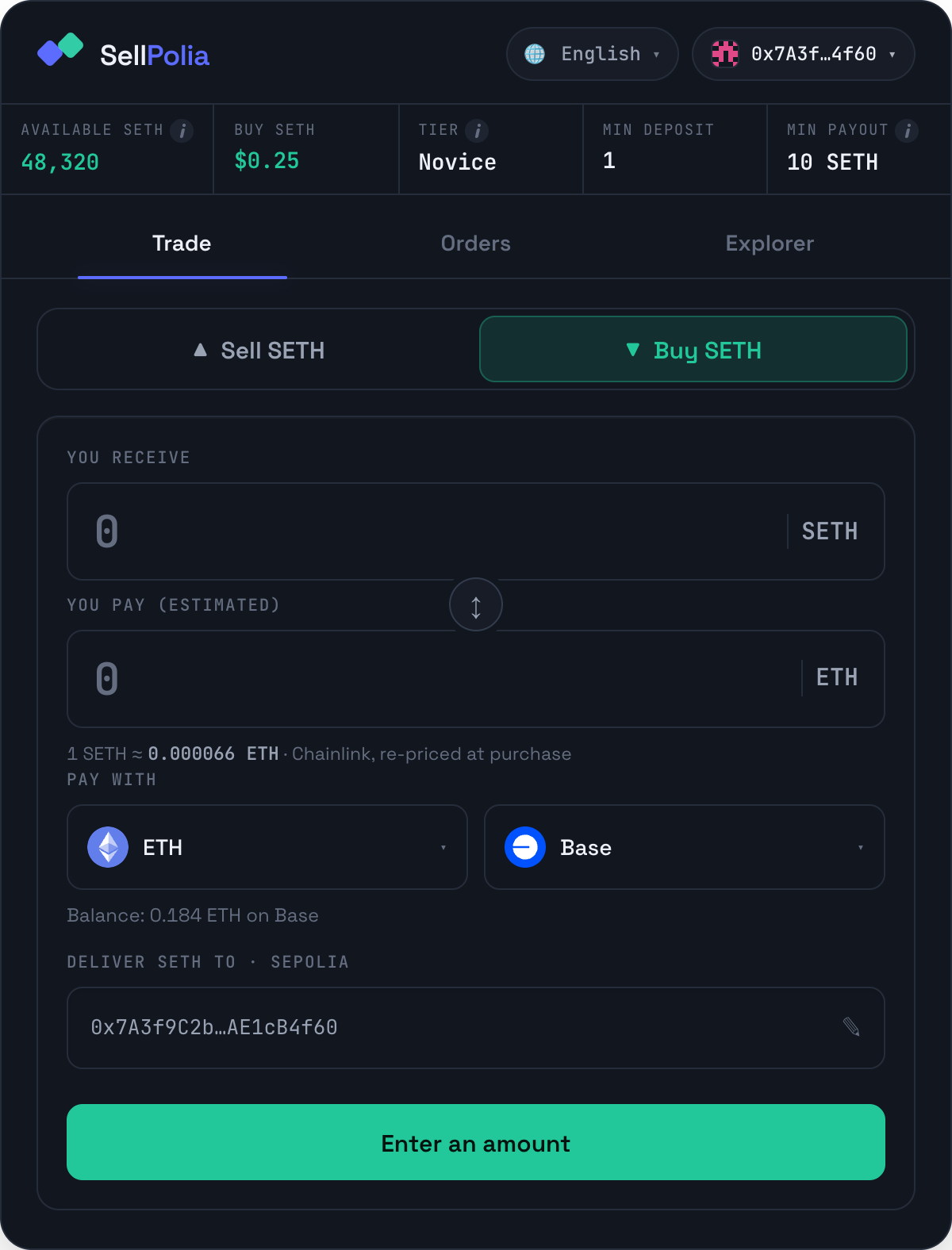
The price strip above the tabs is the market state:
- Available SETH — everything deliverable right now: the seller queue plus the SellPolia reserve backstop. Read client-side from the vault balance.
- Buy SETH — the current buy price,
$0.25. - Tier / Min deposit / Min payout — seller-side figures. They are shown on both tabs but only matter when you sell.
The Buy 500 SETH button is disabled and reads Enter an amount until you type something.
3. Choose how you pay
Pay with is two pickers: asset on the left, network on the right.
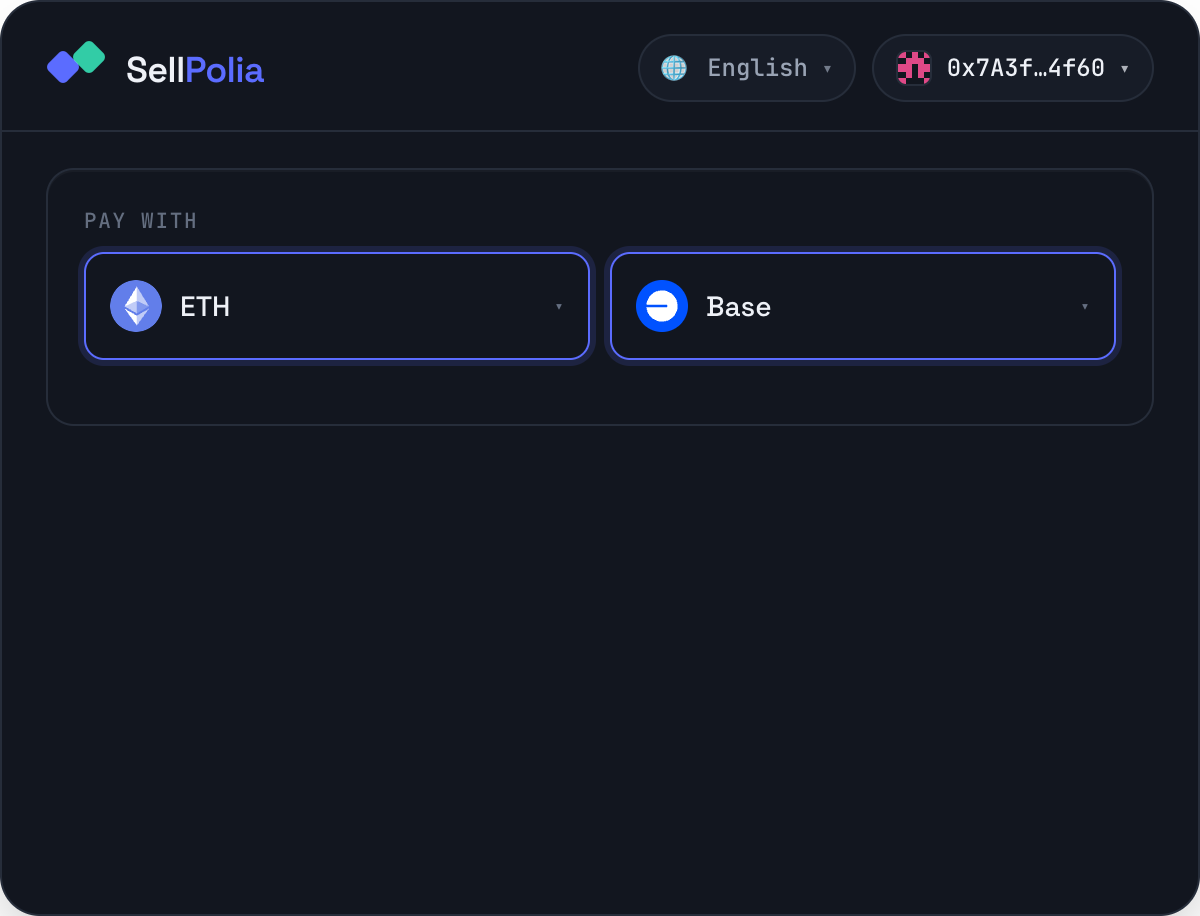
The network list comes from the backend's market config, so it only ever shows chains that have a deployed collector. Changing the network resets the asset to that chain's native coin if the previously selected stablecoin isn't configured there.
- Native coin (ETH / BNB) — priced on-chain by the collector's Chainlink feed. The rate under the amount fields refreshes every 30 seconds, and the purchase is re-priced at execution time, so the exact amount you send can move slightly between quote and signature.
- Stablecoin (USDC / USDT / DAI) — treated as $1 parity, so the cost is just
SETH × $0.25. Paying with a token costs two transactions: an ERC-20 approval followed by the buy.
Under the pickers the dApp reads your balance of the selected asset on the selected chain and prints it. If it is zero or short of the amount, the line turns amber and tells you so — that is the check to read before signing.
4. Enter the amount
You can drive either field. Type SETH and the pay amount is derived; type the pay amount and the SETH is derived. The ↕ button swaps which sits on top; the field you are not editing is labelled (estimated).
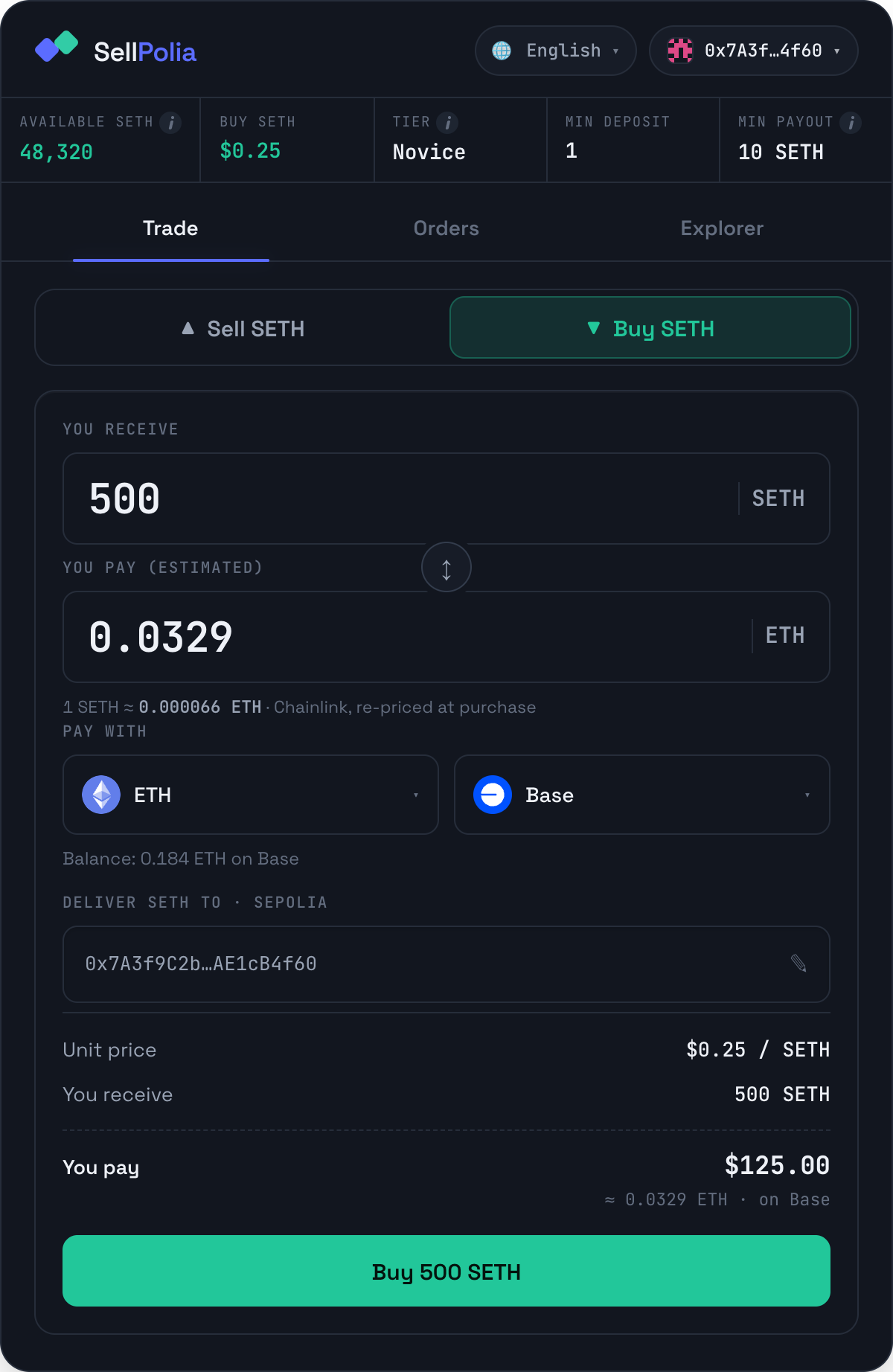
Deliver SETH to · Sepolia defaults to the connected address. Click it to
type a different one — useful when you are paying from an exchange-funded wallet
but want the SETH in a dev wallet. Any valid 0x… 40-hex address is accepted;
an invalid one keeps the buy button disabled.
The summary is the final word on cost:
- Unit price —
$0.25 / SETH - You receive — the SETH amount
- You pay — the USD total, with the on-chain asset amount and chain beneath
5. Sign and confirm
Press Buy 500 SETH. The button becomes a live status line:
- Fetching the on-chain quote… — the collector prices the payment
- Confirm the approval in your wallet… — token payments only
- Confirm the purchase in your wallet… — sign the buy
- Waiting for on-chain confirmation…
Make sure your wallet is on the payment chain you selected. A connected wallet sitting on the wrong network is the most common cause of a failed signature.
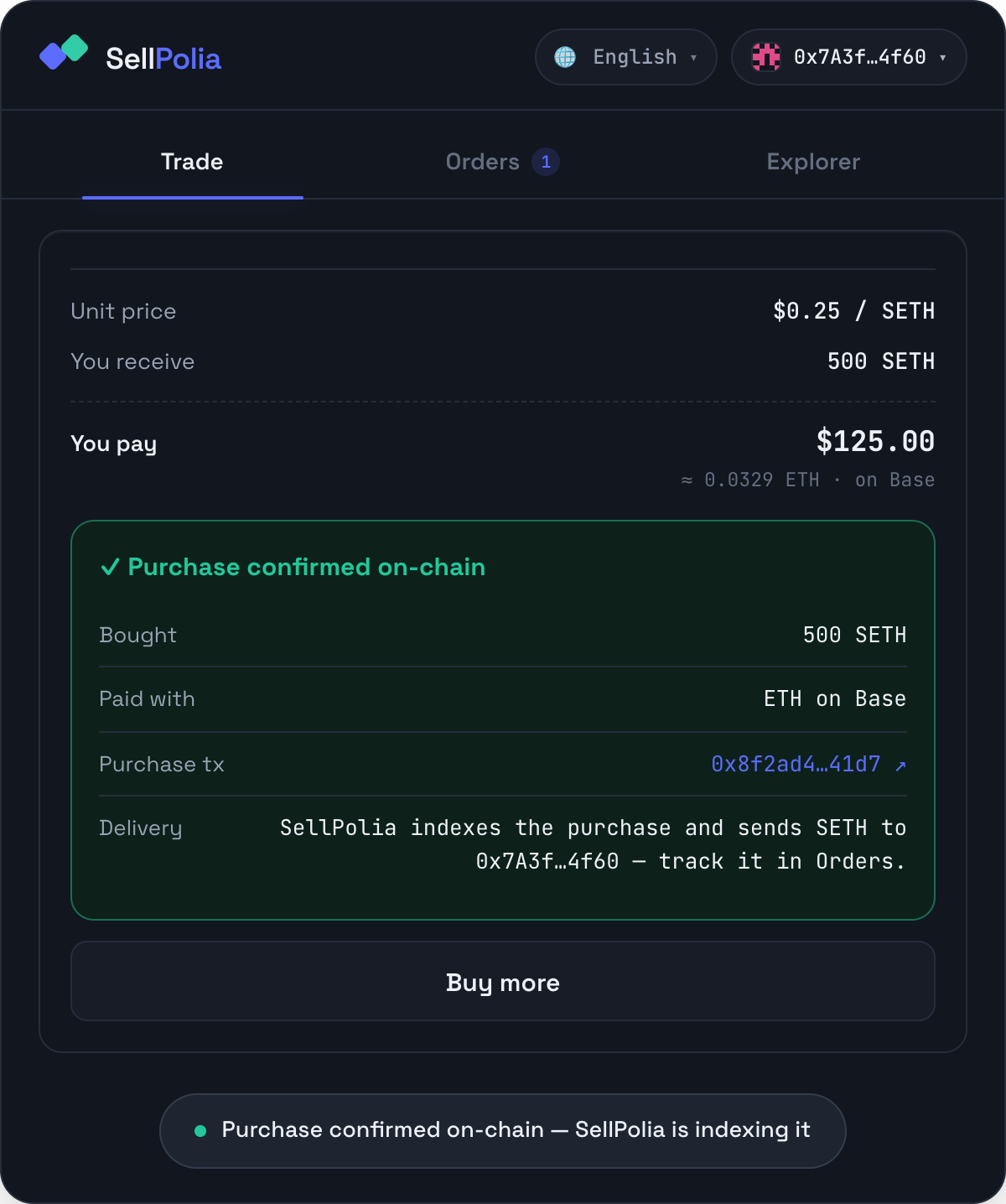
The receipt shows what you bought, what you paid with, and a link to the purchase transaction on that chain's explorer. A toast confirms the same: Purchase confirmed on-chain — SellPolia is indexing it.
Delivery is asynchronous. The buy transaction is your payment; SETH arrives
in a separate Sepolia transaction from the vault once the backend has indexed
the SethPurchased event. That normally takes a poll cycle or two.
Buy more clears the form for another purchase.
6. Track delivery in Orders
The Orders tab carries a badge while anything is outstanding. Filter to Buying and open the order.
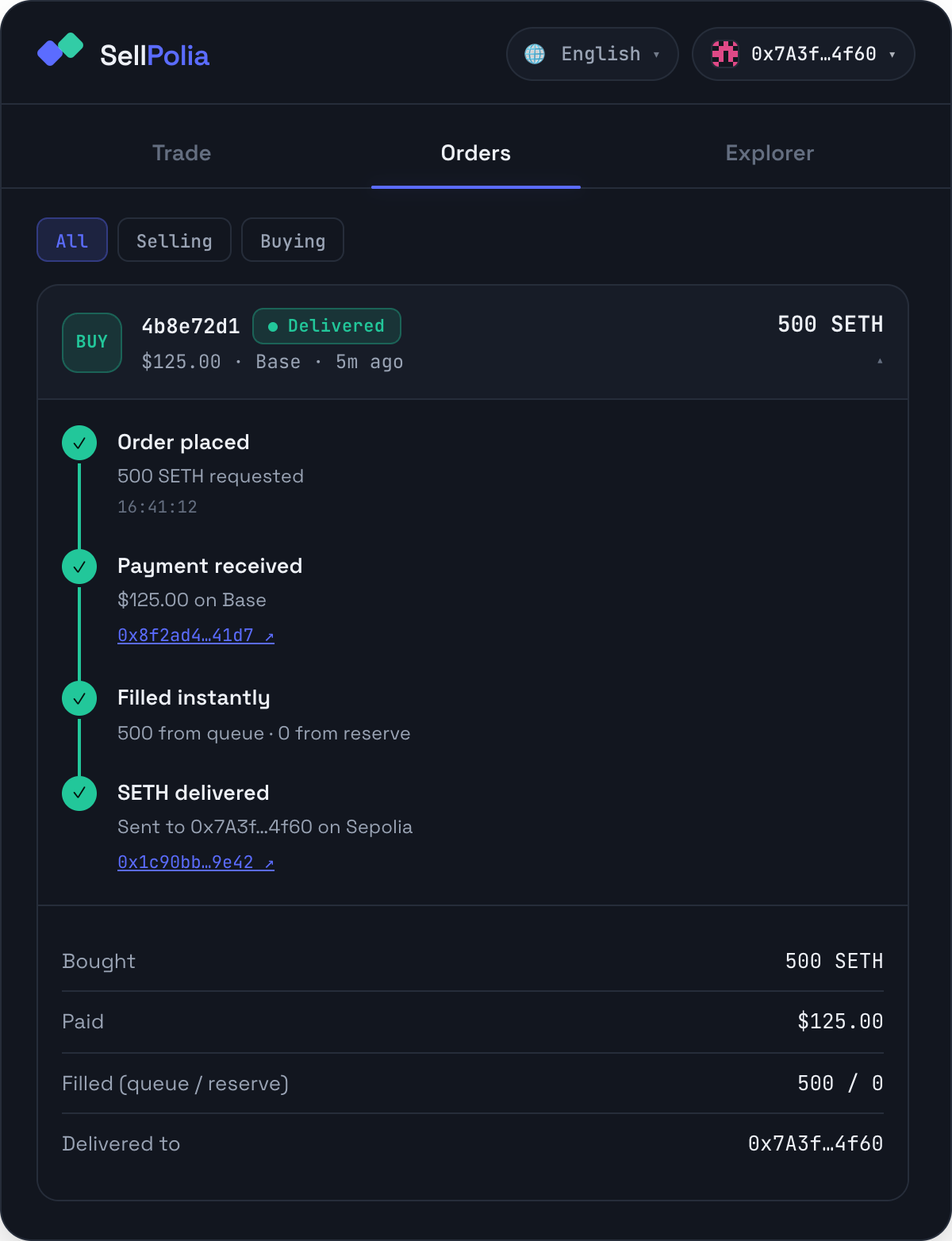
The timeline is the full lifecycle:
- Order placed — the SETH amount requested
- Payment received — amount and chain, linked to the payment transaction
- Filled instantly — the split between live seller queue and the SellPolia reserve
- SETH delivered — the Sepolia delivery transaction, linked
Until step 4 lands the chip reads Delivering with a pulsing dot; once it lands, Delivered, and a toast fires — 500 SETH delivered to your wallet — even if the tab was in the background when it happened.
7. Verify on the Explorer
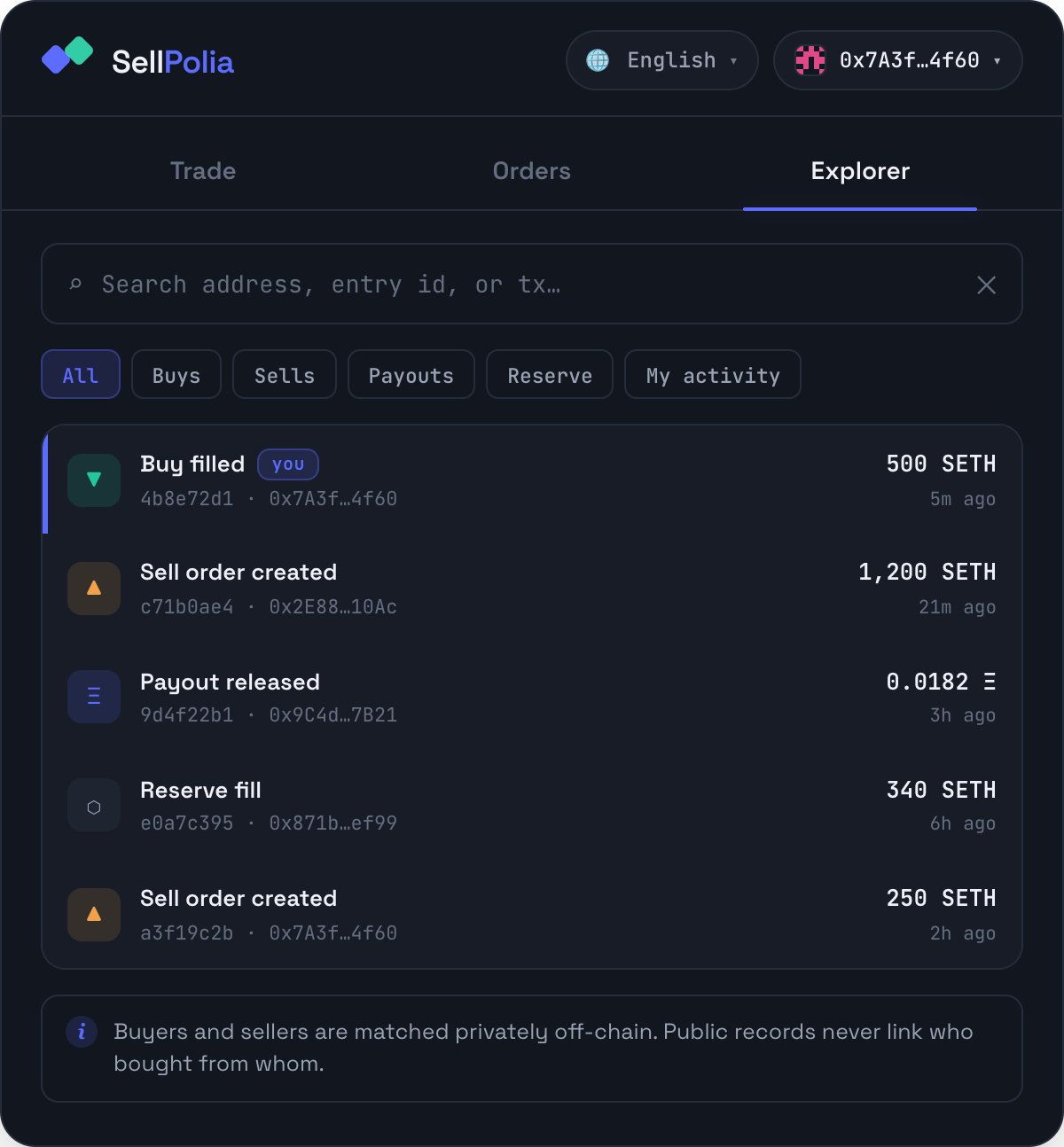
The Explorer is the public ledger: buys, sell orders, payouts and reserve fills. Search by address, entry id or transaction hash, or press My activity to filter to your own. Your own rows carry a you chip and a brand-coloured left edge.
Expanding a buy entry gives both transaction links — Paid on the payment chain and Delivered on Sepolia.
Note the footer: buyers and sellers are matched privately off-chain, so nothing in the public ledger links who bought from whom.
Troubleshooting
"Connecting to the SellPolia backend…" never clears. The dApp cannot reach the API. The error text is printed under the message in red; it retries every four seconds on its own.
"You have no ETH on Base." The balance read on your selected asset/chain came back zero. Fund that wallet on that chain, or switch the picker to an asset you do hold.
"Not enough USDC — you have 12.40 USDC on Base." Your pay amount exceeds the balance. Lower the amount or switch asset.
Signature rejected or nothing happens in the wallet. Check that the wallet is connected to the same chain you selected in the network picker.
Transaction reverted. Usually a stale Chainlink round or a price move between quote and execution — retry. Native-asset quotes carry an explicit staleness bound per chain.
Payment confirmed but no SETH. Expected for a short window. The vault delivers in a separate transaction after the backend indexes your purchase. Watch the Orders entry; it flips from Delivering to Delivered with a transaction link. Polling pauses while the tab is hidden and resumes the moment you refocus.
The purchase transaction link 404s on Sepolia Etherscan. Buys are paid on a mainnet chain, not Sepolia. Use the link in the receipt, which points at the right explorer.
Prices and fees
There is one buy price for everyone: $0.25 per SETH, set in the market config. No spread, no buyer fee, no minimum.
The tier ladder in the price strip is a seller-side mechanism — it sets what sellers receive as a fraction of the buy price, from 20% (Novice) to 100% (Apex). It never changes what you pay. Hover the Tier tooltip to see the whole ladder at the current buy price.
Your real cost above $0.25/SETH is only network gas on the payment chain, plus one extra approval transaction if you pay in a stablecoin.